
Gacha GD (this site)
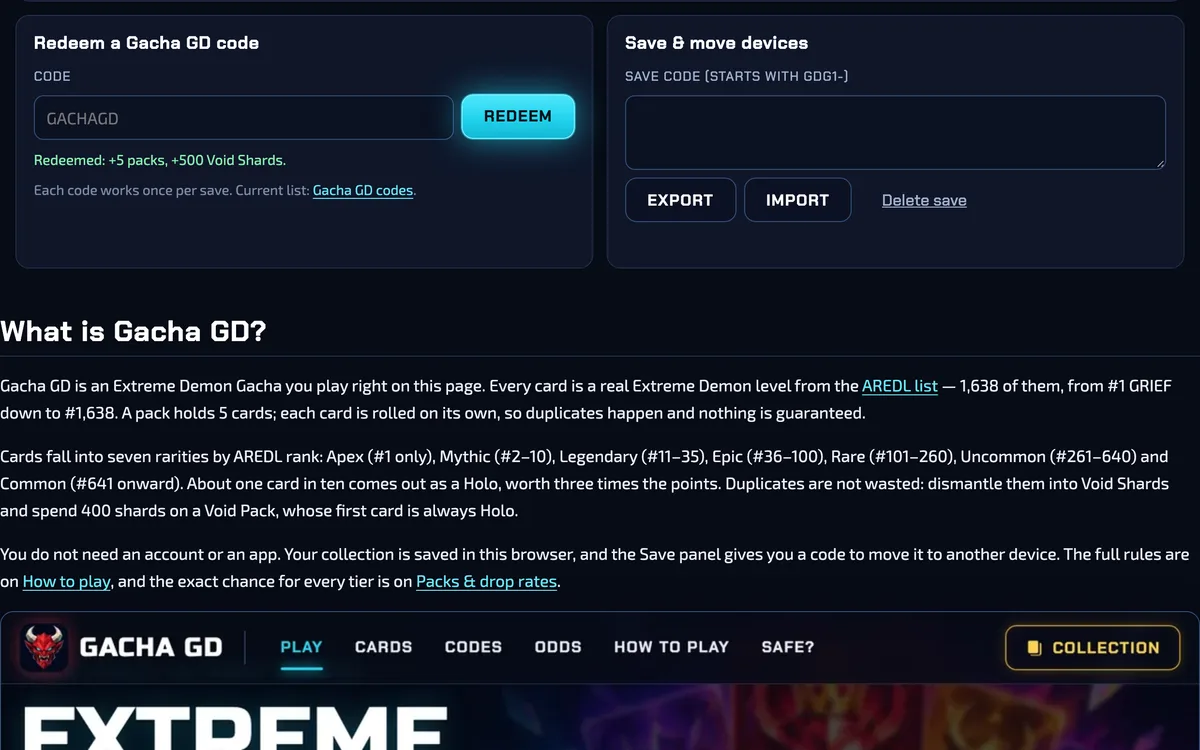
- Open the homepage and scroll to the panel titled Redeem a Gacha GD code (just below Your collection).
- Type or paste a code such as
GACHAGD. Case and spaces do not matter. - Press Redeem. The panel shows what was added, for example “+5 packs, +500 Void Shards”, and the bonus packs appear next to your Standard count.
Each code works once per save. If you move devices with an export code, the used codes travel with it, so a code cannot be used twice by importing.
gdgacha.com
- Go to gdgacha.com and press Play Extreme Demon Gacha.
- Open the Sim & Tools menu.
- Choose Promo Code.
- Enter the code exactly as listed (for example
GDGACHA2026). - Press Redeem. The site says each code is redeemable once per save and needs no Discord login.
demongacha.com
- Sign in with Discord. The site’s rules ask for a Discord account at least 30 days old.
- Accept the rules screen if it appears.
- On the pack panel, find Have a code? and enter the code (for example
10thousand). - Press Redeem. Code-list sites report the reward as bonus packs kept apart from the normal 10-pack limit.
Sites without a code box
gachagd.com has no codes page and no redeem field: its /codes address returns a not-found screen. extremedemongacha.net offers three trial packs and an optional account, but no place to enter a code. If a video or post gives you a code “for gachagd”, check whether it means gachagd.org (this site) or another site.
Why a code fails
- Wrong site — the most common cause; every code belongs to one site.
- Typo or extra space — copy with the Copy button on the codes page.
- Already redeemed on this save or account.
- Account age — demongacha.com blocks new Discord accounts.
- Expired — see the expired archive.
Cómo canjear códigos de Extreme Demon Gacha
En Gacha GD: abre la página principal, baja hasta el panel Redeem a Gacha GD code, pega el código y pulsa Redeem. En gdgacha.com: Play → Sim & Tools → Promo Code. En demongacha.com: inicia sesión con Discord y usa el campo Have a code? en la pantalla de sobres.
Cada código solo sirve en su propio sitio. La lista actual está en la página de códigos.
Gameplay video
FAQ
Where do I enter codes in Extreme Demon Gacha?
It depends on the site. On Gacha GD it is the Redeem panel on the homepage; on gdgacha.com it is Play, then Sim & Tools, then Promo Code; on demongacha.com it is the Have a code? field after a Discord login.
Do I need an account to redeem codes?
Not on Gacha GD or gdgacha.com. demongacha.com requires a Discord login with an account at least 30 days old.
¿Dónde se ponen los códigos?
En Gacha GD, en el panel Redeem de la página principal. En gdgacha.com, en Sim & Tools → Promo Code. En demongacha.com, en Have a code? después de entrar con Discord.
Sources
- gdgacha.com codes page — five codes, rewards and redeem steps; checked 2026-11-28
- gachademon.com codes — 10thousand, first shared 9 Nov 2026; checked 2026-11-28
- extremedemongacha.app codes — 10thousand report, no retired codes archived; checked 2026-11-28
- demongacha.com home and rules — Discord login, 30-day account rule, trading, duels; checked 2026-11-28
- gachagd.com home page — 1,826 cards, tier rates, Discord login; checked 2026-11-28
- extremedemongacha.net — 1,621 cards, tier rates, 10% Holo, no pity, 3 trial packs; checked 2026-11-28